
Features
Everything that's in the box.
Every feature on this page is built and in Cafe today. What's still coming is on the roadmap.
A real code editor
Language servers, git, a terminal, tasks, a debugger and Vim, in a native app that stays quick on big files.
- Language servers installed for you, each checked against its published checksum: rust-analyzer, clangd, gopls, basedpyright, vtsls, zls, Lua and Bash. Extensions add more.
- Rename with a multi-file preview, workspace symbols, call hierarchy, and peeks for references, definitions and implementations.
- Multi-cursor editing that keeps up with thousands of cursors. Typing in a 5 MB file takes about 4 ms a key.
- Vim mode: modes, motions, operators, text objects, registers, macros, dot repeat and : commands.
- Git the way you know it: Source Control, word-level diffs, gutter bars, inline blame, conflict helpers and a branch picker.
- A terminal built on alacritty_terminal, with find and shell integration for bash, zsh and fish.
- Tasks found for you in Cargo, package.json, Makefiles, justfiles, Go, pytest and .vscode/tasks.json.
- A DAP debugger with breakpoints, stepping and variables (F5, F9, F10, F11), with native debugging through GDB.
- Project search that honours .gitignore, and four themes: Cafe Dark, Midnight, Cafe Light and High Contrast.
Windows and docking across screens
Spread Cafe over every monitor you own.
- Drag a tab out of the window to make a new one. Drop it on another Cafe window to join a group or split.
- A file open in two windows is one buffer, with one undo history and one language server.
- Side bar views, panels and terminals move between windows. Terminals keep their program and scrollback.
- Cafe remembers each window's monitor, position, tabs and docked views.
- Window placement works on X11 and Hyprland today.
WASM extensions
Extend Cafe with sandboxed WebAssembly, written in Rust with Cafe's SDK.
- Extensions run in a wasmtime sandbox with time and memory limits.
- They add commands, keybindings, menus, edits, diagnostics, formatters on save, and views in the side bar, the panel or a tab.
- Bring a language: tree-sitter grammars as .wasm, plus language-server installers.
- Install from a git URL, pinned and checksummed, or from a local folder that reloads as you build.
- A permission prompt on install and on updates that ask for more. Revoke any permission later.
- Examples ship with the SDK: Prettier on save and an Elixir language pack.
API client
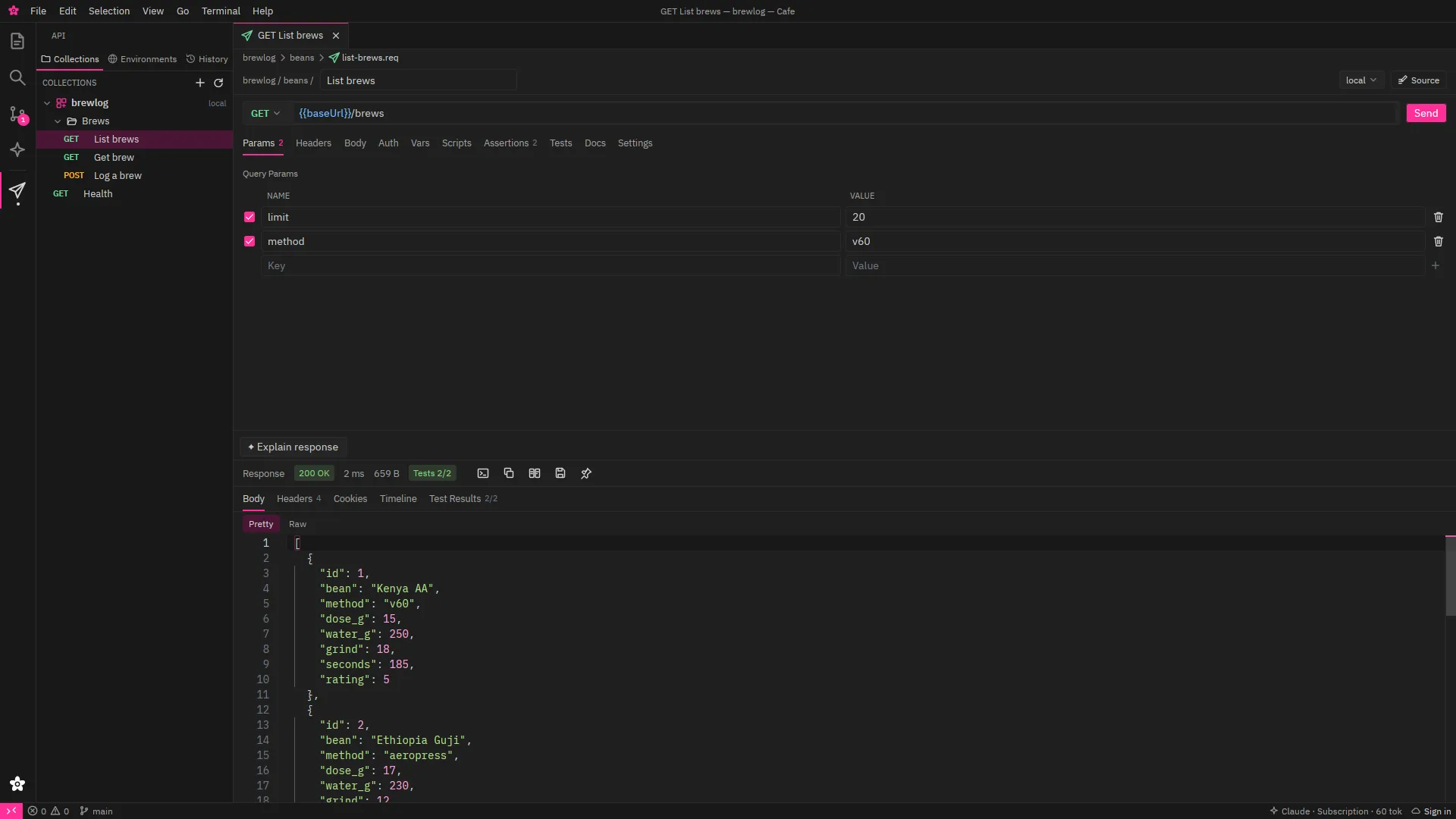
Requests are plain-text files in your repo, so they review, diff and merge like code.
- REST with every body kind and auth: bearer, basic, API key, digest, AWS SigV4 and OAuth 2 (with PKCE).
- WebSocket and SSE with a searchable message log, and gRPC from .proto files or server reflection, all four call kinds, no protoc needed.
- Import from Postman, OpenAPI 3, Swagger 2, Bruno, .http files and cURL. Sync from spec shows what changed and keeps your edits.
- Scripts and tests with Postman's pm.* API, response snapshots, and a collection runner with JUnit output.
- A mock server that serves your saved examples.
- The cafe-api command line runs, mocks and imports collections in CI.
- Git-friendly .req files: unchanged files save to the same bytes, diffs are per field, and environments follow your branch. Secrets go in the OS keyring.
Databases, Docker, logs and remote hosts
The ops side of the job, without leaving the editor.
- PostgreSQL: browse the schema, run queries, read Explain plans, connect through SSH tunnels.
- Docker: containers grouped by Compose project, with live stats, logs and actions; up, down, restart and pull a project.
- Logs of any size, followed like tail -F. JSON lines and logfmt get columns, search and filters; stream logs from commands and containers.
- Remote hosts over plain SSH with nothing to install on the server: an SFTP browser, remote language servers, a host dashboard and port forwards.
- Collaboration: edit together in real time over a cafe-collab:// link or an SSH tunnel, with cursors, follow mode and read-only guests. No central server.
- Services: keep web apps such as chat and mail in Cafe's side bar.
Obsidian-compatible notes
Open the vault you already have. Cafe reads and writes the same files and respects your .obsidian settings.
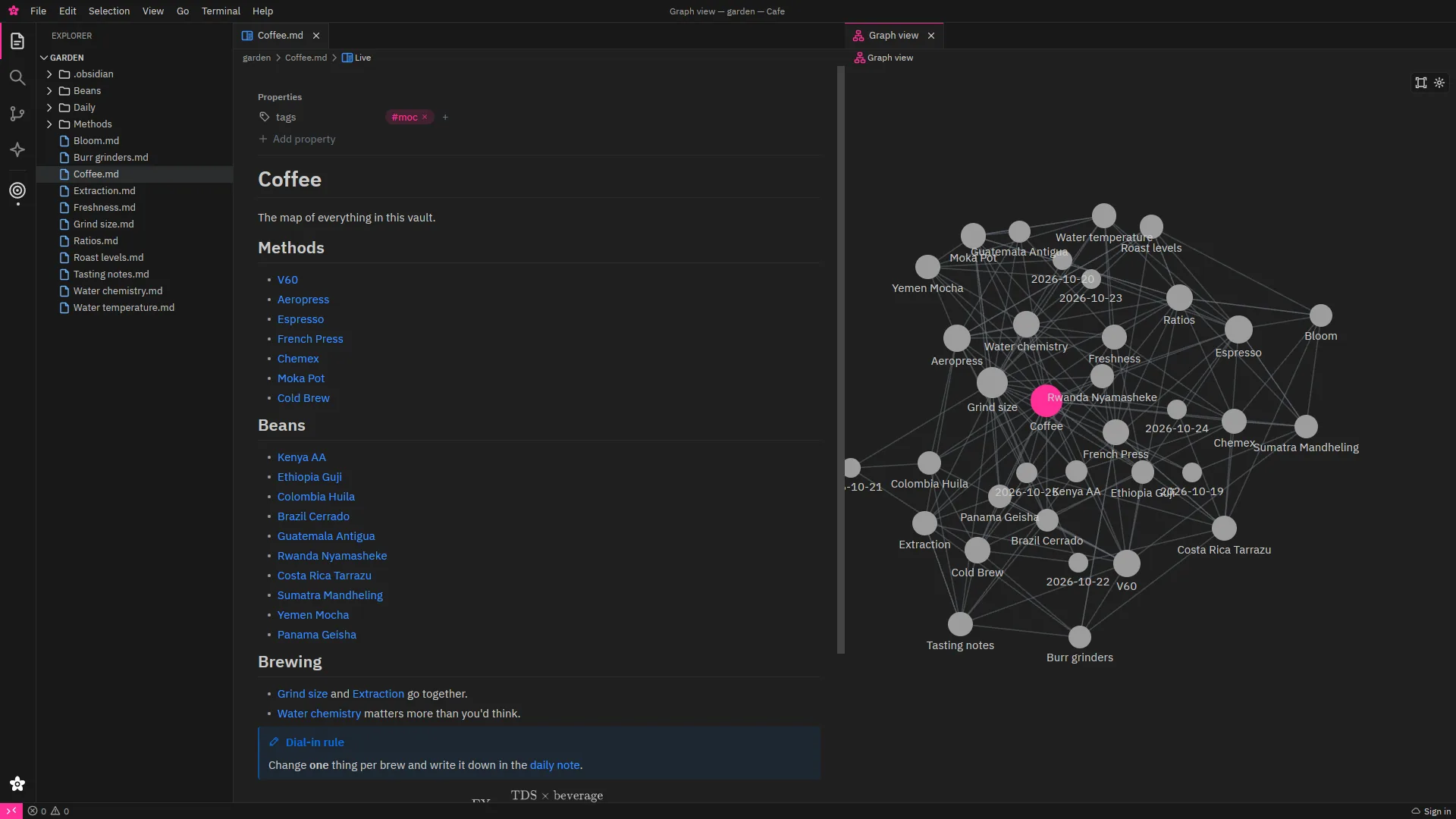
- Live preview, source and reading modes, with wikilinks, embeds, callouts, tags and an editable properties table.
- Backlinks, outgoing links and unlinked mentions. Renames and moves update every link. Ctrl+O to jump anywhere.
- Global and local graphs with Obsidian's filters, groups and forces.
- Canvas: JSON Canvas files with every node type, labelled edges and groups.
- Bases: .base files with the full expression language and cells you can edit.
- Daily notes, templates, a calendar, bookmarks and slash commands.
- Real TeX maths and Mermaid diagrams, drawn offline.
- Audio notes recorded straight into your vault, played inline.
- Git sync when you turn it on: commit, pull and push, never a force push.
- Ask your vault: local semantic search and answers from Claude with [[citations]].
Documents, Sheets and PDF tools
Open the Office files people send you, without leaving Cafe.
- Documents opens .docx, .odt, .rtf and .doc, with a ribbon, tracked changes, comments, tables, shapes and charts. Claude's edits arrive as tracked changes.
- Sheets opens .xlsx, .ods, .csv and more: formulas, PivotTables and slicers, conditional formatting, charts, filters, data validation and Solver.
- PDF: annotate and comment, edit text and images, fill and sign forms, redact, protect with a password, and insert, extract, reorder, rotate, combine or split pages.
- OCR, compare and optimise PDFs too, and chat with a PDF with links back to its pages.
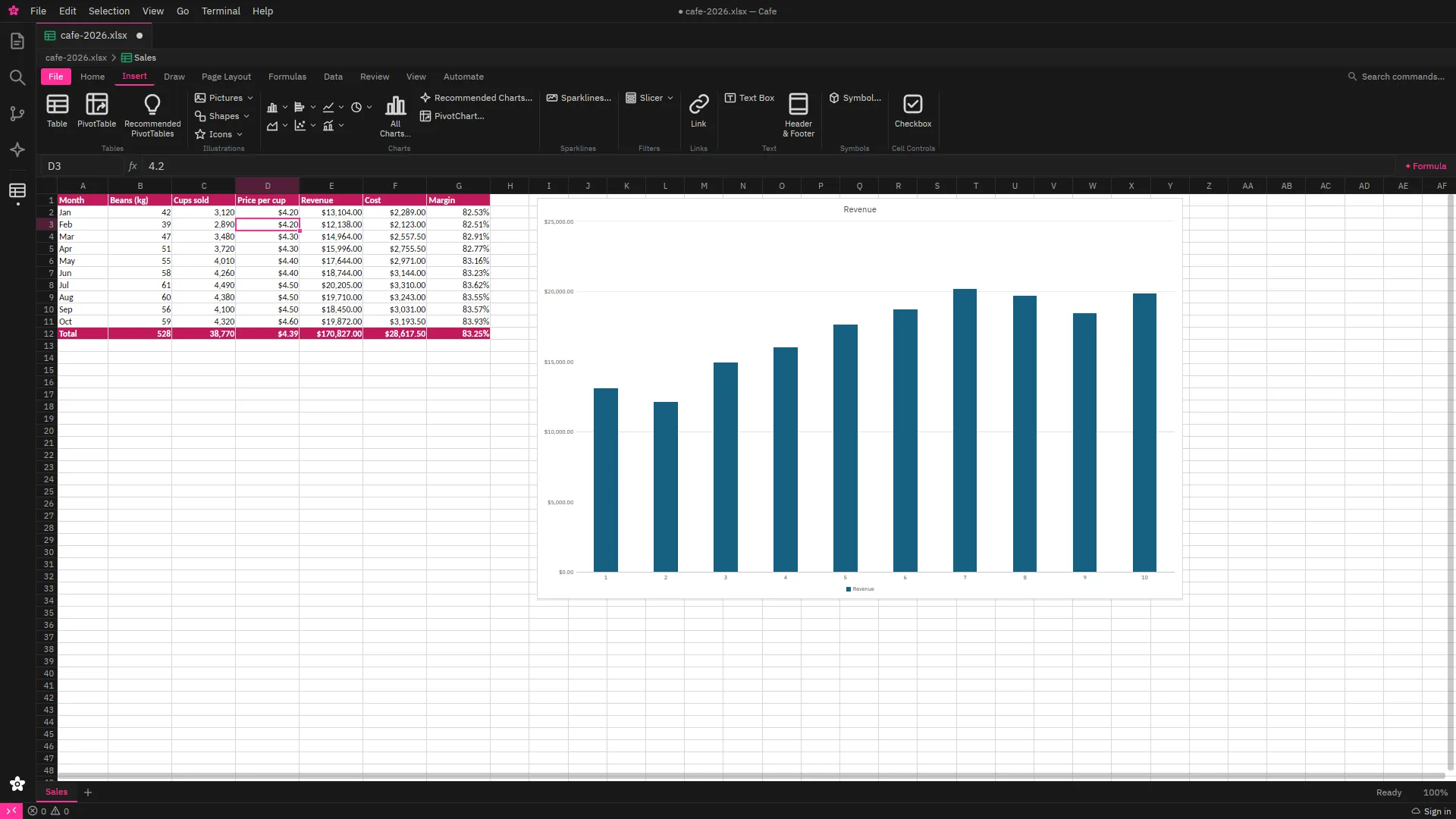
Image editor
A layered image editor in the same window as your code.
- Layers, adjustment layers, layer styles and smart filters, with Channels, Paths and History panels.
- Marquees, lassos, the magic wand, quick and object selection, and Select and Mask.
- Healing, content-aware fill, Liquify, Puppet Warp and a Camera Raw-style window.
- Type on a path, pen tools and shapes.
- Opens PSD, PNG, JPEG, WebP, AVIF, HEIC, TIFF, EXR, Krita and camera RAW files, among others.
Claude, everywhere
Cafe uses your own Claude subscription through Claude Code, or your Anthropic API key. Cafe doesn't sell AI tokens.
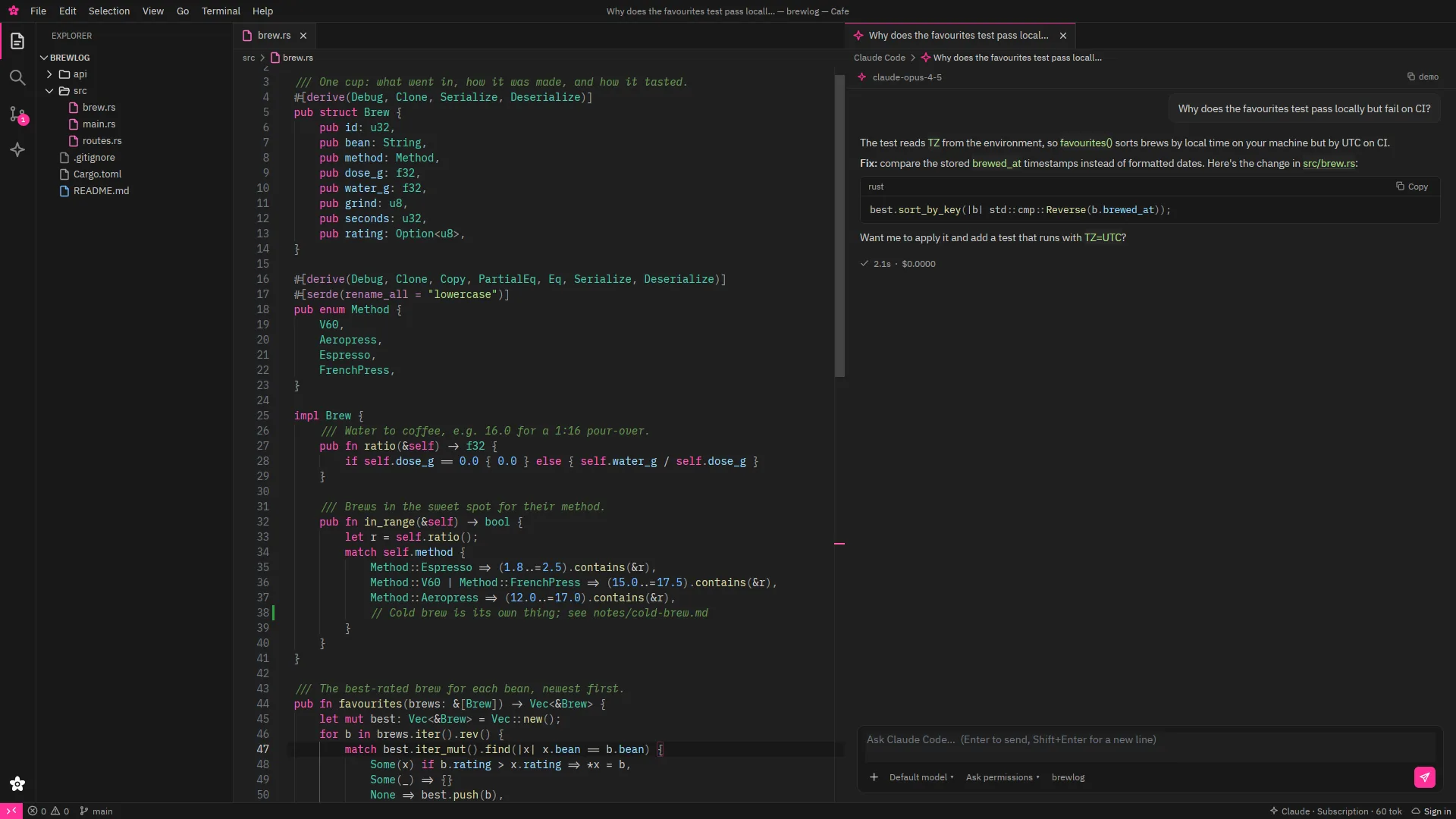
- Ask Claude anywhere: Ctrl+Alt+L sends the focused view (editor, terminal, git, API response, query, logs, container, PDF, sheet or note) to the chat.
- Inline edits with Ctrl+I, shown as a preview and accepted as one undo step.
- Next-edit suggestions as ghost text: Tab takes it, Ctrl+Right takes a word.
- A checkpoint before every prompt, with accept and reject per hunk.
- Background agents: Claude Code agents in their own git worktrees, up to four at once, with live transcripts. Review, then merge, open a PR or discard.
- MCP tools: Cafe's own MCP server lets Claude Code use git, the terminal, tasks, the debugger, read-only database queries, logs, the API client and your notes.
- Secrets stay put: .env and other secret files are refused, and known secrets (database and SSH passwords, API secrets, tokens) are masked before text leaves Cafe.
- Switches per project, and per remote host, where AI is off until you allow it.
- Edit Claude Code's own settings in Cafe: subagents, skills, hooks, MCP servers, permissions and CLAUDE.md.
- Local OpenAI-compatible servers such as llama.cpp and Ollama work for the chat-style features.
Project templates and the New Project wizard
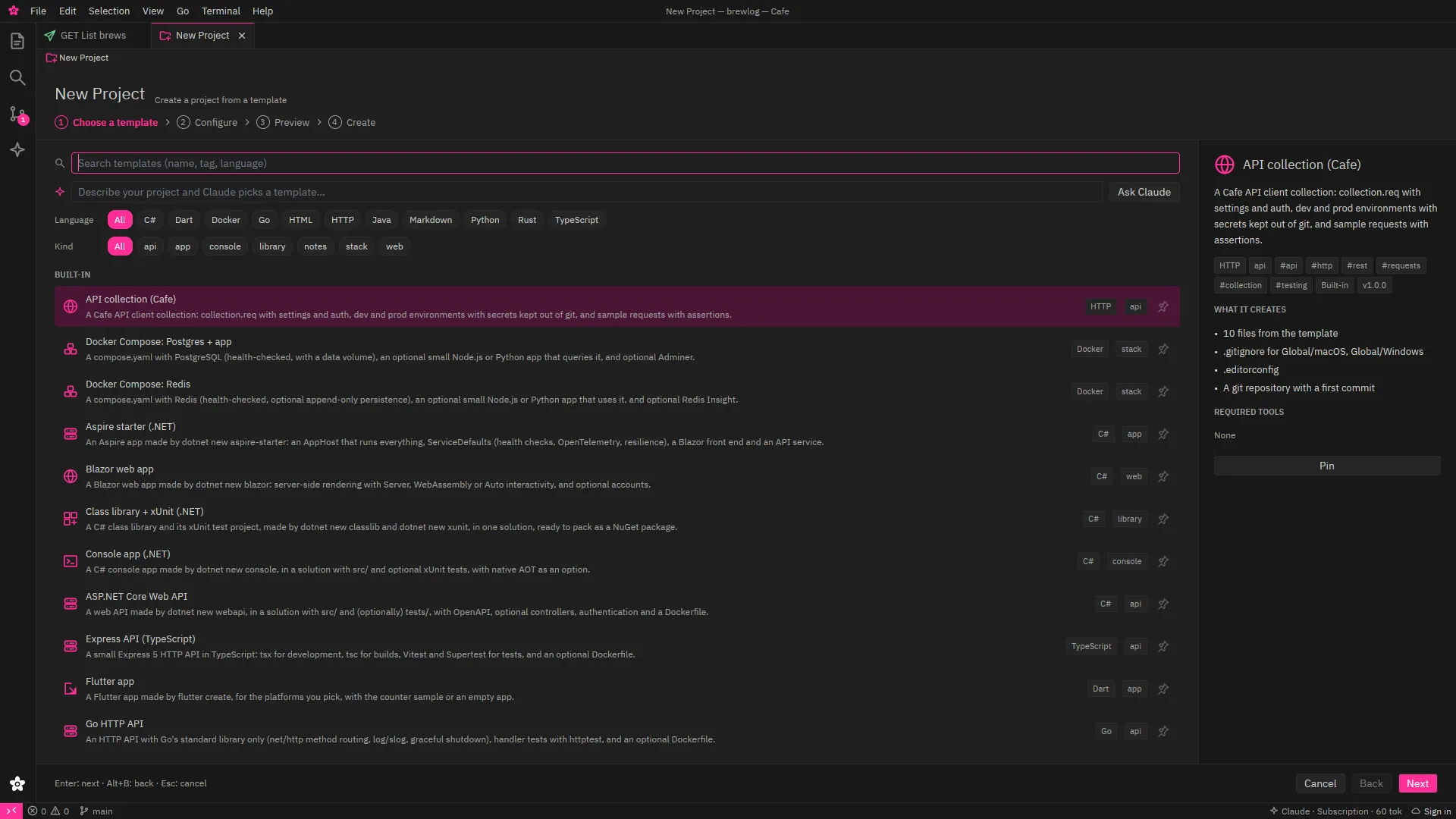
Ctrl+Shift+N, then four steps: choose, configure, preview, create.
- 26 built-in templates: .NET, Vite (React, Vue, Svelte), Next.js, Express, FastAPI, Django, Rust, Go, Spring Boot, Flutter, Compose stacks, an Obsidian vault, an API collection and more.
- Most wrap the official generators (dotnet new, create-vite, cargo, uv), so you get what their authors intended.
- Preview every file and the exact commands before anything runs. Missing SDKs are found, and installed only if you click.
- Git init with the right .gitignore and .editorconfig, a first commit, and install, build and test tasks.
- Share templates from a git repo, a folder or your team's repos. Save any project as a template.
- Describe your project and Claude picks and fills a template, or drafts a new one for you to review.
The Desktop
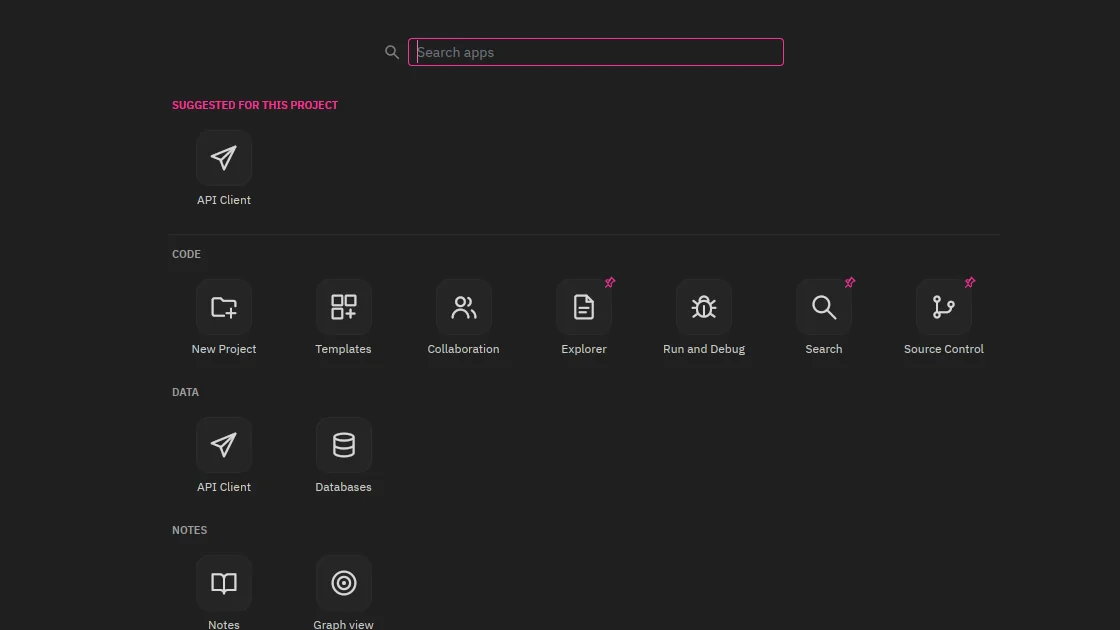
Your activity bar shows only what you pin. Everything else is one click on the white flower.
- Ctrl+Shift+A or the flower opens the Desktop: every app, grouped into Code, Data, Notes, Infrastructure, AI and Office, with search and arrow keys.
- Suggested for this project: Compose files suggest Containers, a vault suggests Notes, .req files suggest the API client.
- Pin apps to the activity bar per project, or drag a tile onto it.
Cafe Cloud accounts and teams
One account for Cafe and its online services.
- Accounts with an email code, GitHub or Google. Cafe connects through your browser with a short code; tokens stay in the OS keyring.
- Account and Team apps in Cafe, and the same on the web: profile, sessions, API keys, members, roles, invites, invite links and an audit log.
- Your licence is checked offline and keeps working for 14 days without a connection.
Try it on your own code.
Every feature above, with the Claude you already have.
Coming soon Linux first, then macOS and Windows.